
 whatsminer
 2026.05.31
 3K+
3K+ 0
0

1. How should I export logs in WhatsMinerTool? What is the function of this feature?
If your miner encounters some problems or errors, you can export its logs to our after-sales operation and maintenance personnel for assistance. miner.log introduces basic information about a miner. The following will introduce how to export its log.
Step 1 Select an IP address of a miner you want to export its log.
You can also select multiple IP addresses of multiple miners.
Step 2 Click Remote Ctrl, click Basic, click Export Log, and then click OK.

Figure 1-1
Step 3 After a dialog box pops up, select a save path for an exported log, and then click OK.
A log contains upfreq_test.log, power.log, miner.log, system.log, api.log.
The exported log compression package will be named according to a rule of MAC address + IP address + time, which is more convenient for you to manage logs, such as
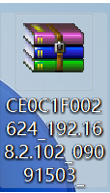
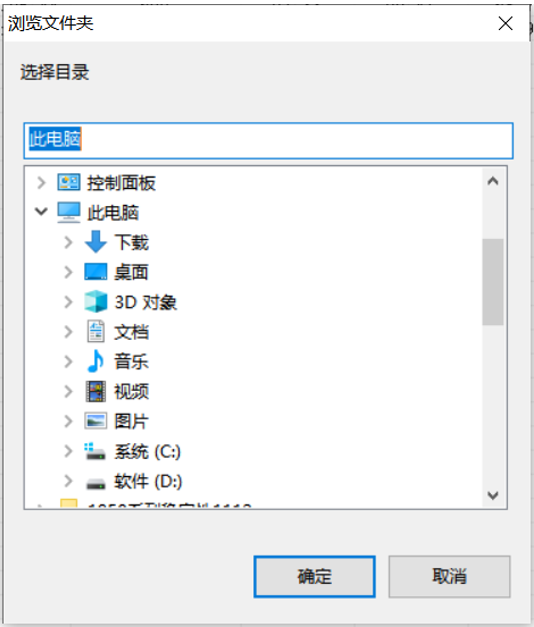
Figure 1-2
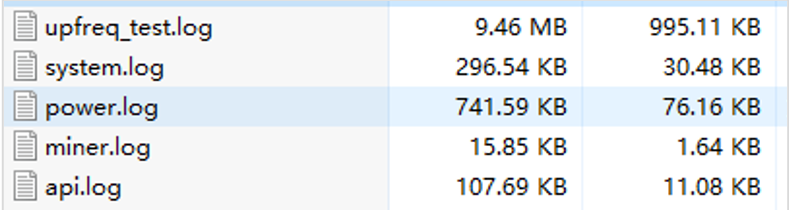
Figure 1-3
2. What files are included in the logs exported by WhatsMinerTool?
Logs include critical files like miner.log, system.log, and power.log, which help diagnose issues such as hardware failures or connectivity problems. Users select miners, click Export Log, and choose a save path. Logs are exported in .csv format for analysis by technical support personnel.
3. In WhatsMinerTool, What is a process for setting up regular data exports?
Open WhatsMinerTool, in Setting section, you can choose an export interval (from 5 minutes to 24 hours) and specify a save path. The data is exported in a .csv file format with timestamps for easy tracking. This automated feature facilitates long-term performance analysis and compliance reporting.
 Yes
Yes No
No Feedback
- 1WhatsMinerTool_Operation Guide17K+
- 2WhatsMiner Hydro-Cooling Miner_Operation Guide13K+
- 3WhatsMiner Air Cooling Miner_Operation Guide12K+
- 4WhatsMiner API_User's Manual9K+
- 5WhatsMiner Immersion Cooling Miner_Operation Guide8K+
- 6WhatsMinerTool: Performance, Power & Remote Functions Q&A7K+
- 7WhatsMinerTool Overclocking Guide7K+
- 8Simple introduction to quick connectors for hydro-cooling miners6K+
- 9Overclocking Eligibility & Performance Impact Q&A5K+
- 10WhatsMiner Hydro-Cooling Series Installation & Removal Guide5K+